What are you looking for?

Here you can find answers to your questions and everything else you need to know about Softorino apps.

How can I edit metadata & artwork with SYC PRO?

SYC PRO

How can I edit metadata & artwork with SYC PRO?

With SYC PRO you can manually edit cover art & descriptions to make your library beautiful.

Last updated on 31 Oct, 2025

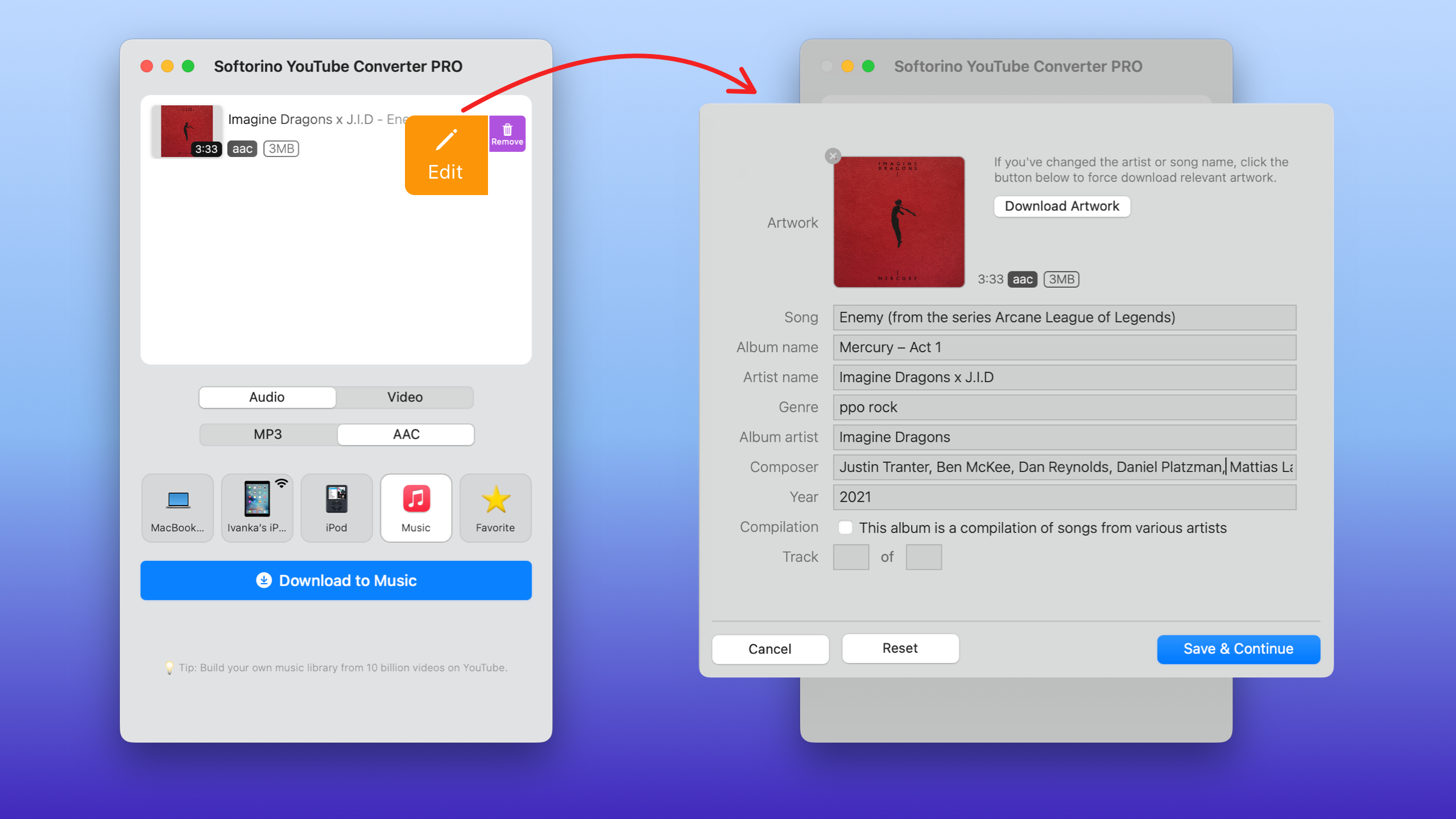
Built-in Metadata Editor is super easy to use:

  • Click on the icon (pencil) to edit video details:
Image
  • Click on the Artwork to change it.

  • Change/add album name, artist name, year, or composer manually.

  • Press the ‘Save and Continue’ button to save the changes and enjoy the music!

Did you find this article helpful?
Previous

How to reset the activation for SYC PRO within the Universal License?

Next